Step 1
Find the video you would like to embed in your website. Find the share button under the video, and click on it.
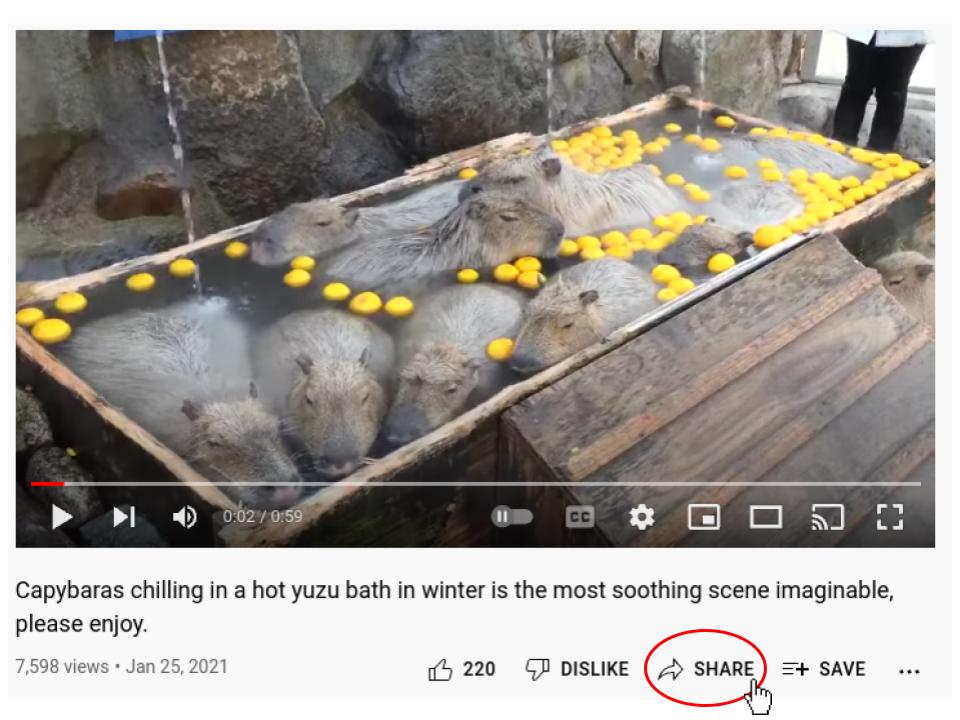
Find the video you would like to embed in your website. Find the share button under the video, and click on it.
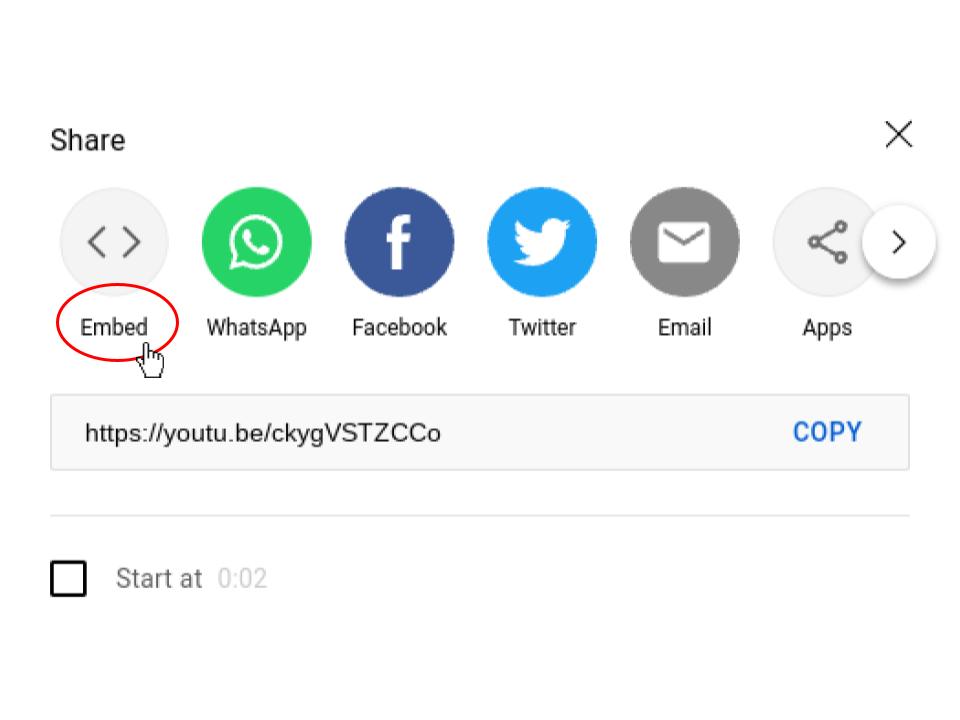
Click on the embed option.
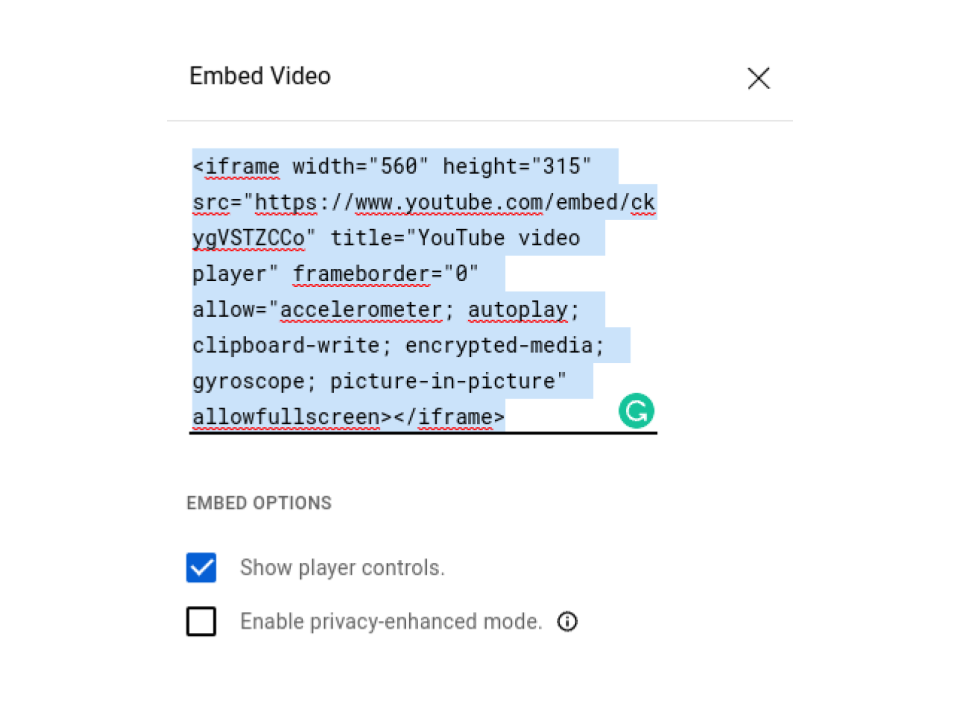
Select the "Show player controls." button and copy the code given.
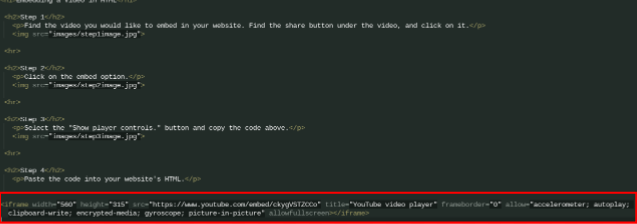
Paste the code into your website's HTML.
This is what the video will look like when it is embedded into your website.